One ride, four surfaces. The web owns the plan and the stash; the phone scans, plans and logs food; the Karoo and the Fenix prompt and log on the ride, offline. This page walks the whole loop with the real screens, then every button and tap on each device.
Quick start
The order things happen in. Each step is one screen.
- Sign in on the web and on the phone (Google). Same account everywhere.
- Stash what you own — scan the packets on the phone or the web, confirm each row. Anything the library does not know: ADD TO LIBRARY keeps it as your own product.
- Plan a ride — on the web planner for a race (blocks and a schedule), or on the phone from two numbers: how long, how hard.
- Push. There is no cable: the devices pull. The page waits and then says which device has it.
- Pair each device once — six characters typed on the device. See below.
- Ride. Tap the head unit for gels and sips; log road food on the phone.
- After: the ride imports itself, the stash is reconciled, and What's new says what changed.
Pairing
A device never signs in. On the Devices page you mint a six-character code — it lives ten minutes and works once — and type it on the device. The device exchanges it for a long-lived token and keeps that; the code is gone. UNPAIR on the Devices page revokes the token: the device answers its next pull with TOKEN REVOKED · RE-PAIR and rides its cached plan meanwhile.
| You do | It means |
|---|---|
| KAROO | PaceKeeper → Pair → the keypad. Six taps. The alphabet has no 0 1 I O L U, so the keypad has none either. |
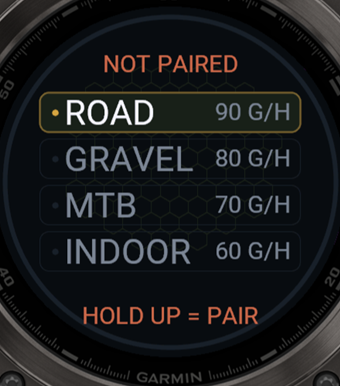
| FENIX | Open PaceKeeper → hold UP → PAIR → the watch's keyboard. It claims the code immediately; the top line reads SYNCED JUST NOW. |
| FENIX DATA FIELD | A second Connect IQ app with its own settings; it pairs separately (the code goes into the field's settings in Garmin Connect) if you ride with it. |
| PHONE | Does not pair. It carries your sign-in and talks to the web directly. |
Sync and refresh
Devices pull; you never push to them.Each pull is the same three steps on both head units: the newest plan for the device's token, then your product list, then a report back of what the device actually kept — that report is the HOLDING line on Devices, and it is what the phone and the web wait for after a push.
| You do | It means |
|---|---|
| KAROO · WHEN | Every ten minutes while it is on and not recording, at ride start, and when you open the FUEL field. Never during a ride. |
| KAROO · SYNC NOW | The SYNC band on SETUP — the whole band is the button. From HOME, tap the header (SETUP ▸) to get there. |
| FENIX · WHEN | When you open PaceKeeper, and when a pairing code is entered. Never while a session is running. |
| FENIX · SYNC NOW | Hold UP on the profile screen → SYNC NOW. |
| SYNCED 3 MIN AGO | The last pull worked. The age is the thing to read: is this current? |
| PLAN UPDATED | A new revision landed since the last look — one buzz on the watch, a gold chip until the ride starts. |
| OFFLINE · CACHED r3 | No phone, no Wi-Fi. The device rides the last plan it kept. Stale beats blank. |
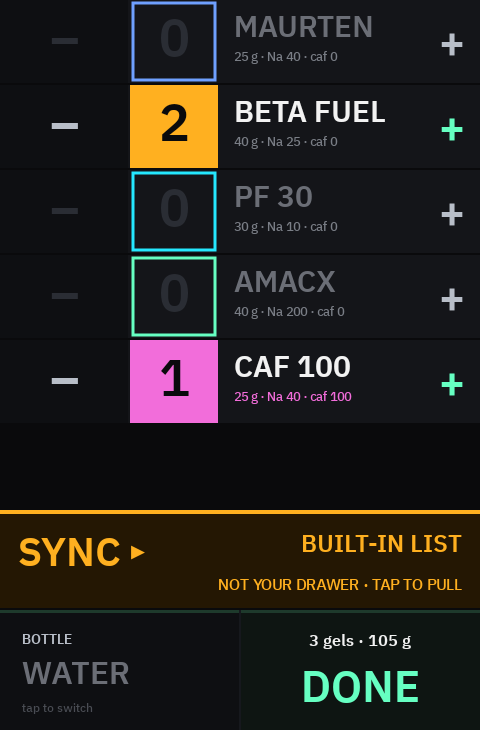
| BUILT-IN LIST · NOT YOUR DRAWER | The product list did not land (amber). The device is showing its six compiled-in products. Tap SYNC; if it persists, check that every product in the plan is in the library. |
| NOT PAIRED | No token yet. Pair it. |
The fuel plan
A plan is blocks — an hour each, usually — with a carbohydrate target in g/h and the products packed for that hour. The device turns it into prompts: it spreads your packed items across the ride (four items over three hours is one prompt every 45 minutes) and counts a running carb debt: what the plan says you should have taken by now, minus what you logged. Ahead of plan is never a warning.
| You do | It means |
|---|---|
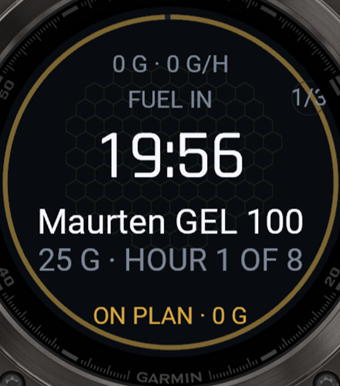
| ON PLAN · +7 G | Seven grams ahead. Gold. |
| BEHIND · 30 G | Thirty grams behind: the prompt window turns into a catch-up window. Amber. |
| CRITICAL · 68 G | Past forty grams. Red. One buzz, then it waits — it never nags twice for the same event. |
| FOOD | A café stop is bought on the road and logged on the phone; it is never a row on a head unit. The plan still counts its carbs. |
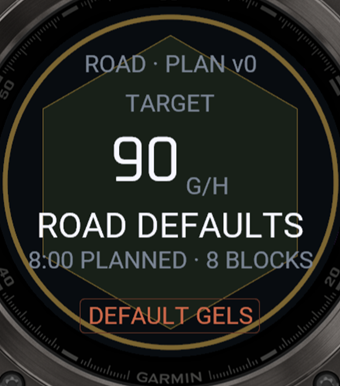
| DEFAULT GELS | No plan on the device: it prompts for your default gel at your default rate and stamps pk_fallback in the ride file so the import knows. |
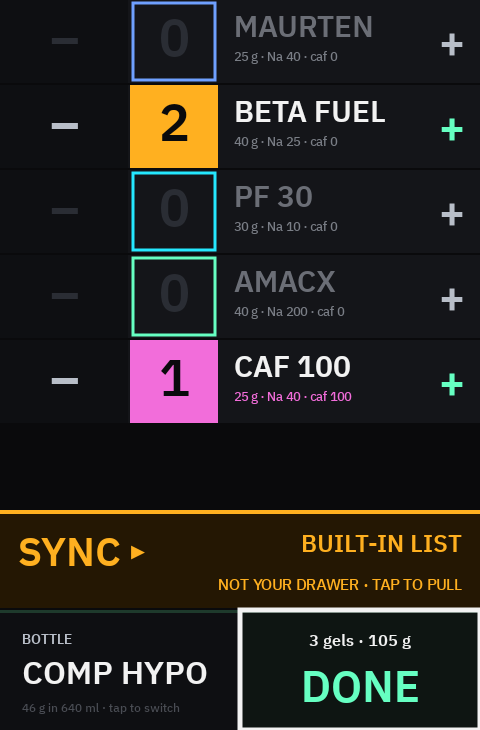
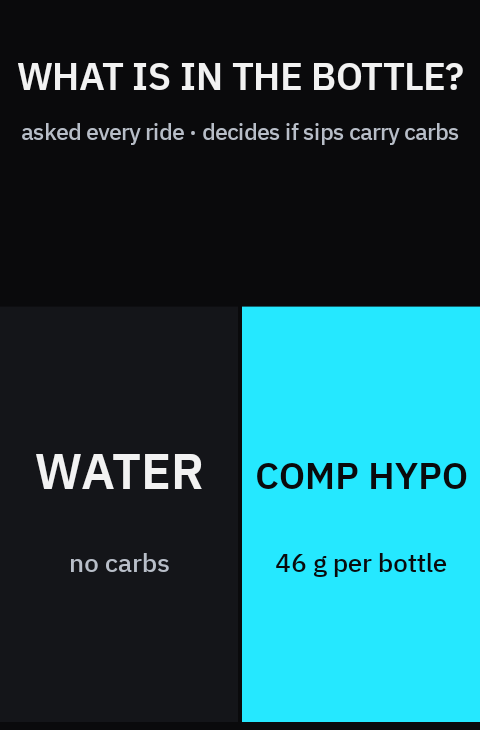
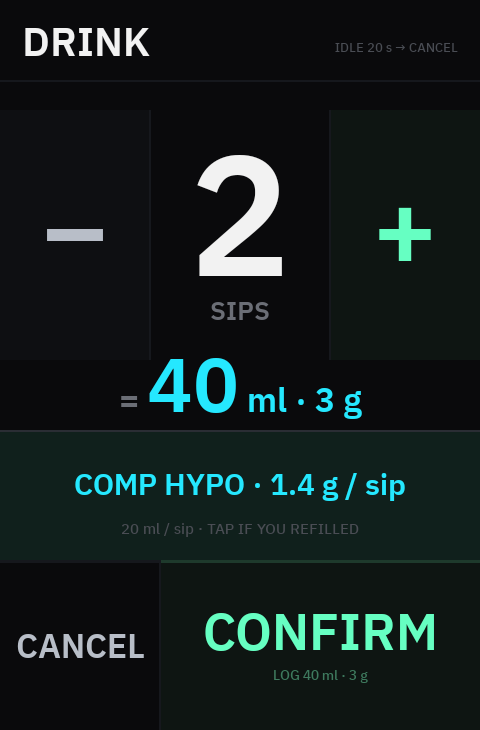
Bottle. Water or carb mix is declared once, at ride start. A sip is 20 ml; with mix in the bottle each sip carries its carbs into the totals, so the DRINK flow never asks what is in it.
Karoo
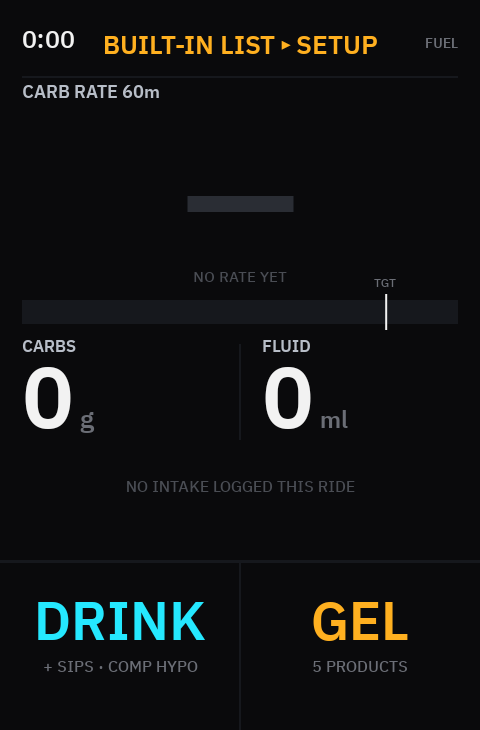
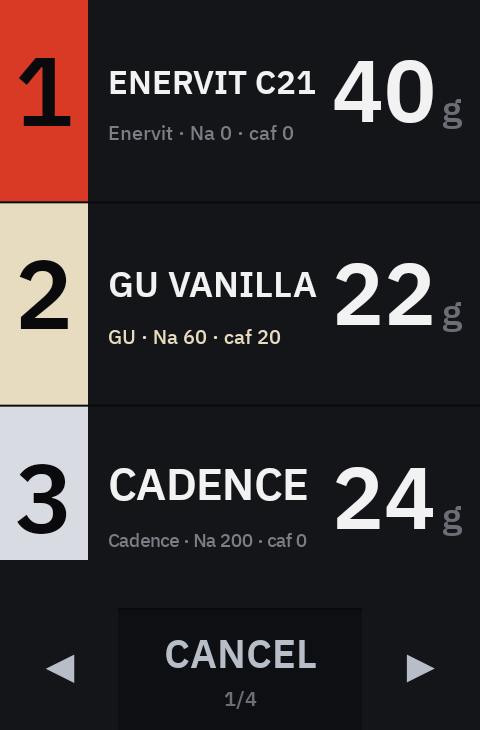
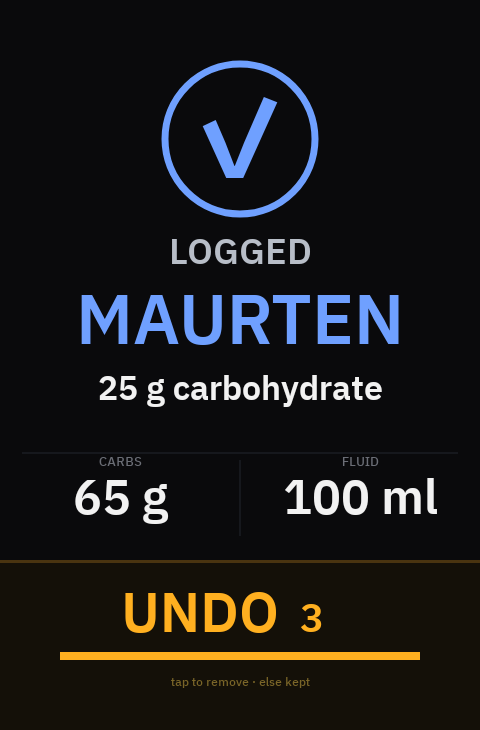
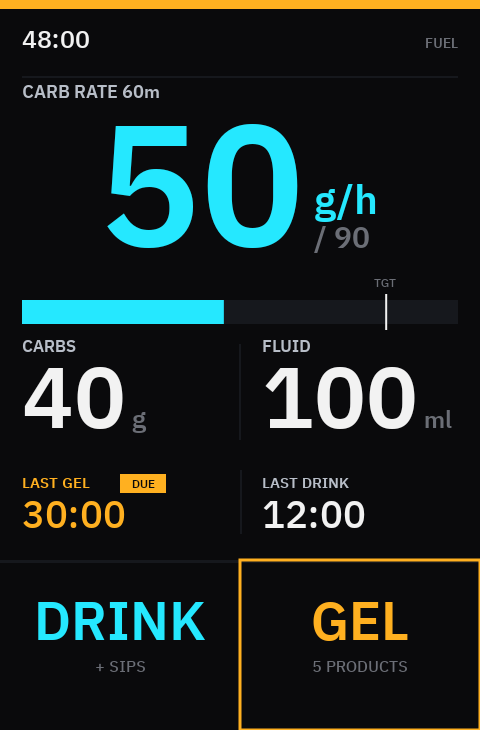
The FUEL field. Touch only — big targets, no swipes (left and right belong to the Karoo's own pages). White is a measured value, cyan is one PaceKeeper computed.
| You do | It means |
|---|---|
| GEL | Opens the picker. Tap a product: logged immediately, with the UNDO window. |
| DRINK | Sips: − / +, then CONFIRM. BOTTLE switches water/mix pre-ride. |
| UNDO | Within 3 s of logging. The next record carries the corrected total; nothing already written is rewritten. |
| SETUP ▸ (header) | Back to SETUP, pre-ride only. Gold when a plan just landed; amber when the list is built-in. |
| SYNC (band) | Pull the plan and your products now. The whole band is the button. |
| ◀ ▶ | Page through more than three products. |
Fenix
Two apps. PaceKeeper is the device app: it records the ride itself and has buttons and touch, so a prompt can actually be confirmed. PaceKeeper fuel is a data field inside the native bike profile: ClimbPro and navigation survive, but Connect IQ gives a data field no input at all — it prompts and tracks, and logs only if you turn on Lap to confirm, filing those as inferred. If you want to log on the wrist, ride the device app.
| You do | It means |
|---|---|
| START | Confirms the prompted product. With no prompt open, logs the scheduled product early (filed as manual). |
| TAP THE BOTTOM BUTTON | Same as START — the gold TOOK IT / TOOK ONE bar, 56 px tall. |
| LAP | Logs an item and marks a lap in the ride file. |
| BACK (within 8 s of logging) | Undo. |
| BACK (prompt open) | Snooze five minutes. It never dismisses. |
| UP / DOWN · tap the body | Fuel → ride data → sensors. |
| UP HOLD, before a ride | PAIR · SYNC NOW · BUTTONS · UNPAIR. |
| UP HOLD, riding | LAP · BUTTONS · SAVE RIDE · DISCARD. |
| BUTTONS | This table on the watch, as a scrolling list: UP / DOWN or a finger to move, BACK to close. |
Phone
| You do | It means |
|---|---|
| TODAY | The plan the devices will ride, the push button, and — after a push — which device has it. |
| PLAN | How long and how hard; picks from your drawer, shows the shortfall before you push. BUILD & PUSH TO DEVICES. |
| SCAN | Photograph packets; confirm rows; PACK & PUSH. Unmatched product → ADD TO LIBRARY (keeps it and packs it). |
| STASH | What you own. Counts and par levels; the web copy wins. |
| LOG | Mid-ride, for food the head unit has no row for. Never log the same item on two surfaces. |
| SET | Account, theme, scan model, daily cap, the build you are running, WHAT'S NEW, and this quick start (HOW PACEKEEPER WORKS). |
After the ride
The ride file carries every intake with a device-minted id, so a gel tapped on the Karoo and the same gel seen by the Fenix are one intake, not two. Rides import daily; each import subtracts what you actually ate from the stash, and a suspected double log (same product, two devices, within ten minutes) is raised for you to decide — never merged. Rides shows planned against taken per ride; What's new shows what changed on each surface, with the build it put there.
SCREENS ON THIS PAGE ARE RENDERED FROM THE SHIPPED BUILDS — THE KAROO'S OWN EXPORT, THE FENIX FROM THE CONNECT IQ SIMULATOR.